
OTO Imagery
OTO Imagery turns any USB overhead camera into a precision measurement instrument. Calibrate once, then capture flat objects and export true 1:1 scale PDFs and images — every dimension on screen and in print matches physical reality. No rulers in the shot, no manual steps, no guesswork.
12 hours
from concept to production
The problem
A photograph has no inherent physical scale — a 4000×3000 image could represent a postage stamp or a parking lot. Anyone verifying PCB dimensions, archiving documents at true size, or measuring flat objects has no reliable way to do it with a standard camera. Workarounds like placing rulers in the shot are manual, error-prone, and cluttered. OTO Imagery solves this permanently with a one-time calibration.
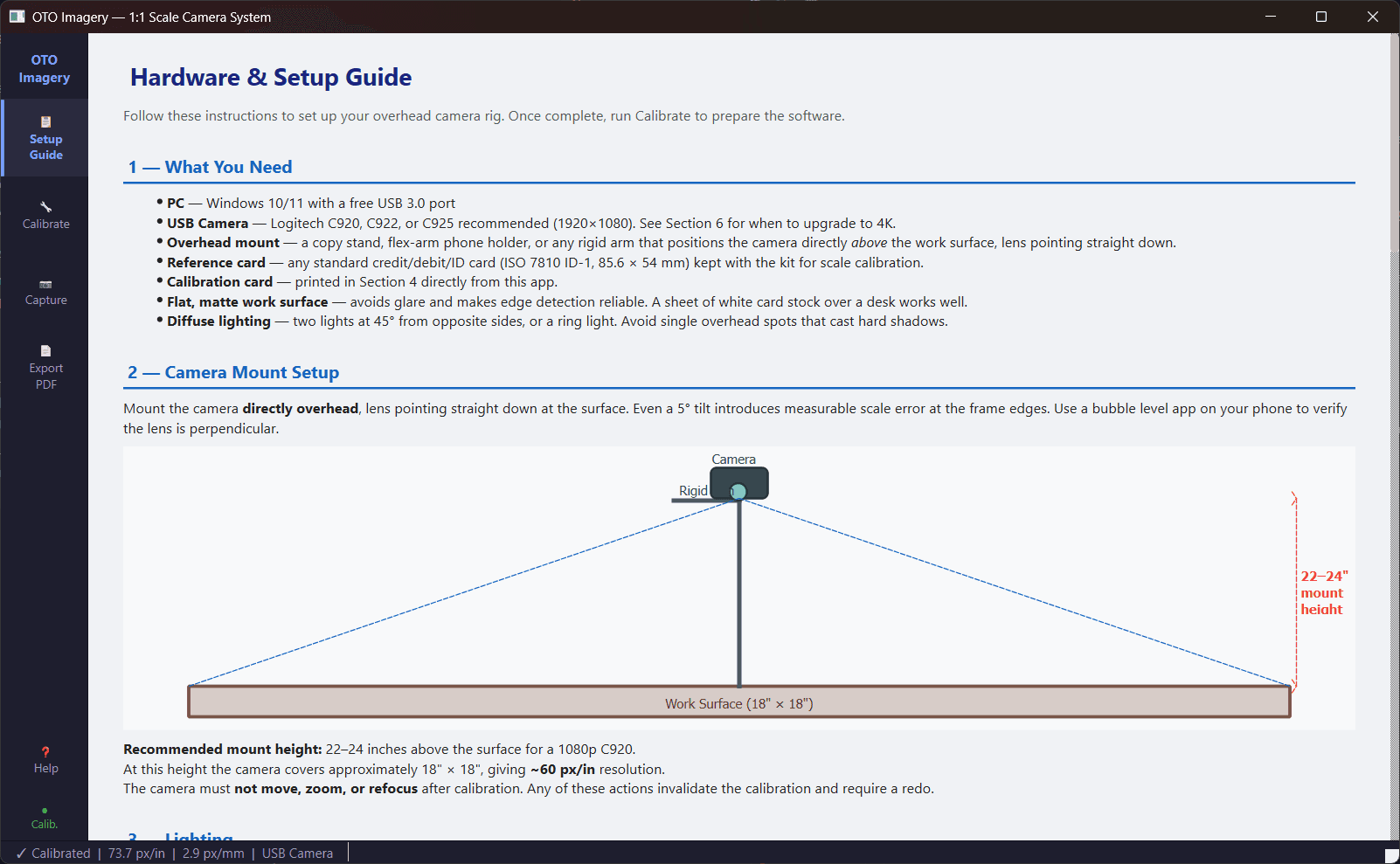
The built-in Setup Guide walks through hardware requirements, camera mounting, and lighting.
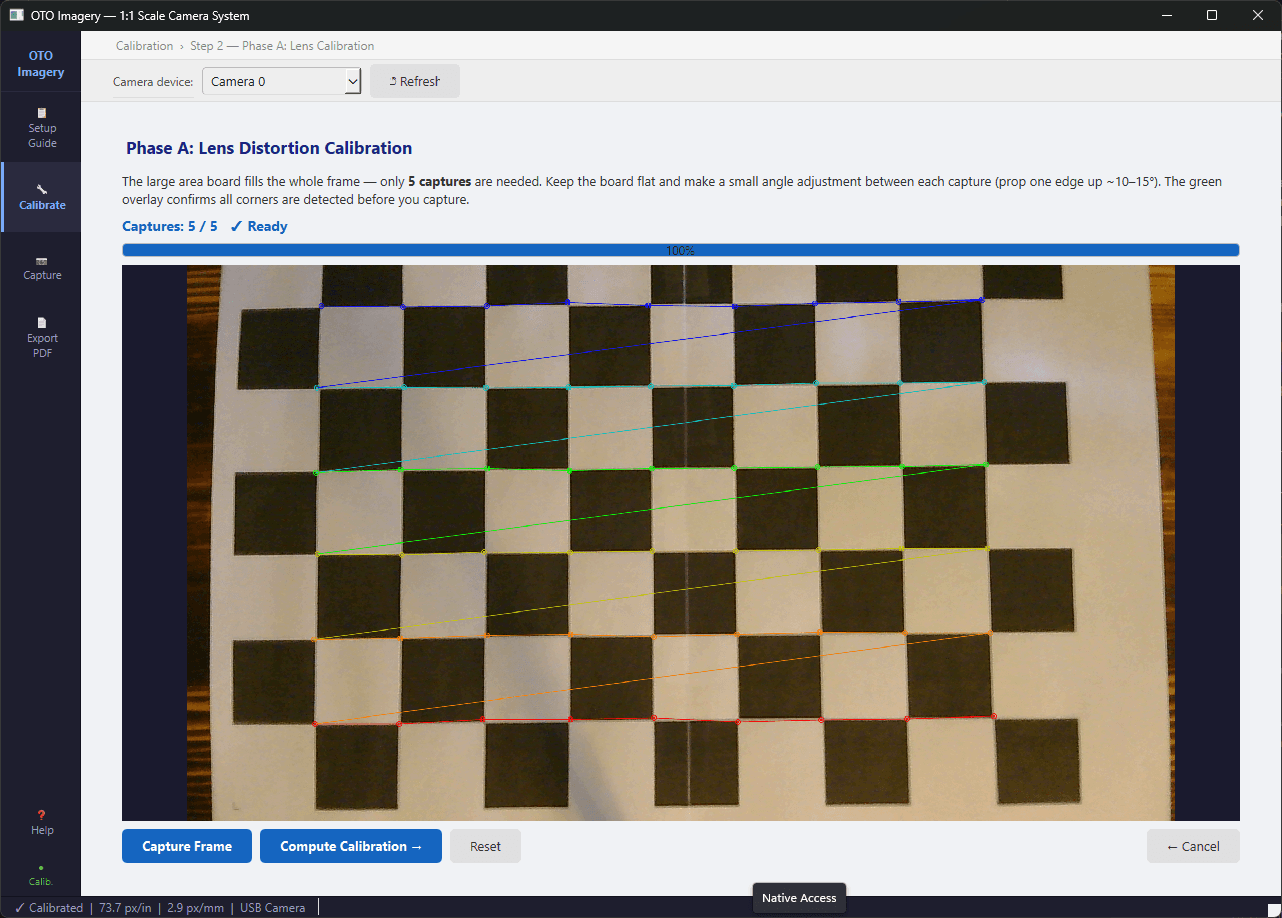
Phase A calibration: the app auto-detects checkerboard corners to compute a lens correction model.
How it works
Two calibration phases, done once. Phase A corrects lens distortion by showing a checkerboard card in 15 positions — the app auto-detects corners and computes a correction model. Phase B auto-detects a standard credit card to compute exact pixels-per-inch at your camera height. After that, every capture is automatically scaled: place object, click Capture, export. No reference cards in the image, no repeated setup.
Accuracy on consumer hardware
A $60 Logitech C920 on a simple copy stand delivers ±0.85 mm accuracy at 60 px/in. Upgrade to a 4K camera and that drops to ±0.42 mm — professional-grade results without expensive metrology equipment. The built-in verification ruler (100 mm + 1") printed in every PDF lets you confirm accuracy with a physical ruler.
Export formats
PDF output is sized exactly to the physical dimensions of the captured image — open at 100% zoom and a 3.37" credit card measures 3.37" on screen. PNG export embeds precise DPI metadata. TIFF export uses exact rational DPI for metrology and archival workflows. Every format opens at true 1:1 scale in GIMP, Photoshop, Affinity Photo, and Inkscape.
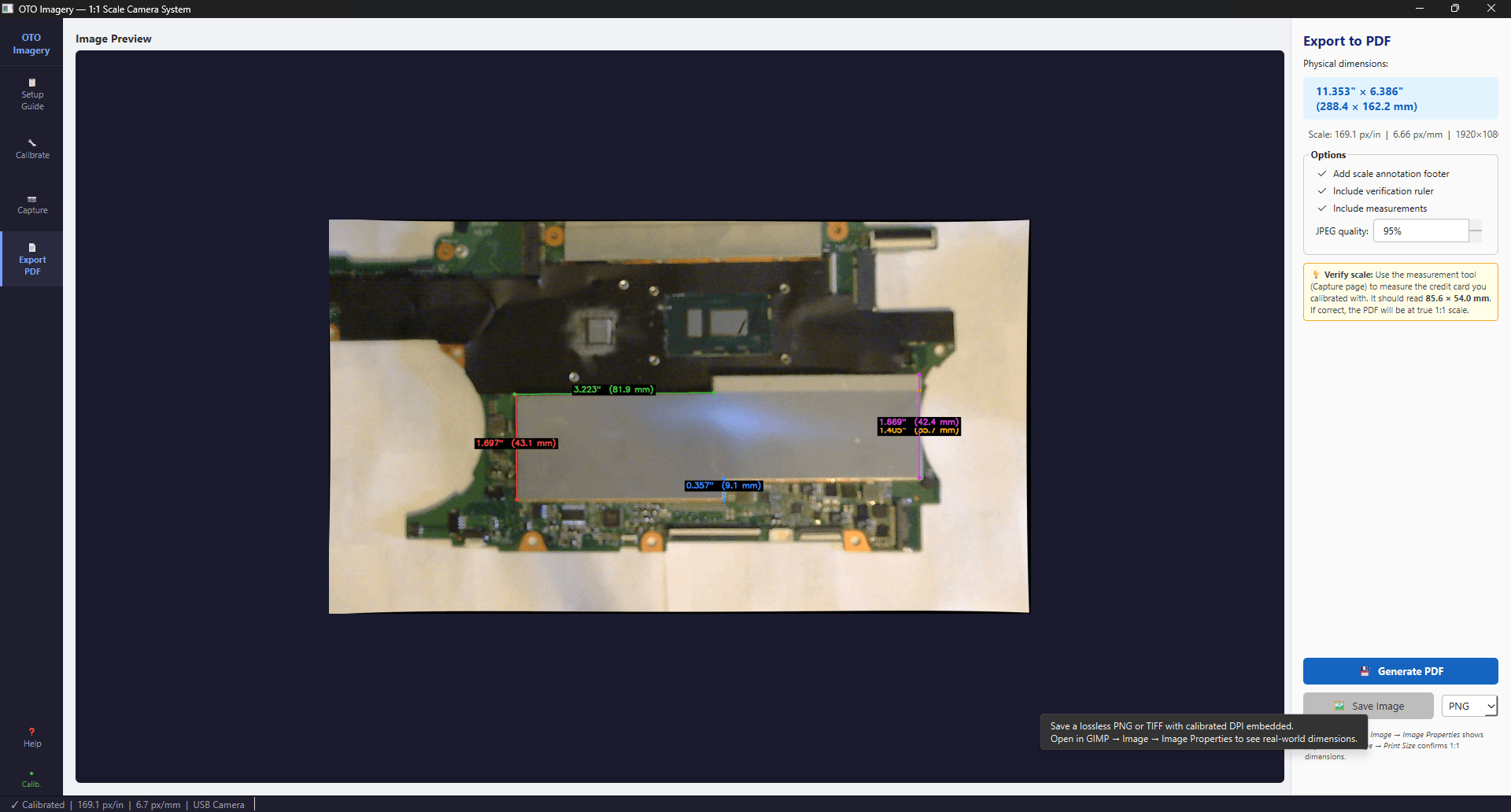
Export to true 1:1 scale PDF with embedded measurements and a verification ruler.
Built-in measurement
Click any two points on a captured image and see the real-world distance instantly in both inches and millimetres. A measurement table lists all point-pair distances for the current capture — verify component spacing, check panel dimensions, or measure fabric patterns without leaving the app.
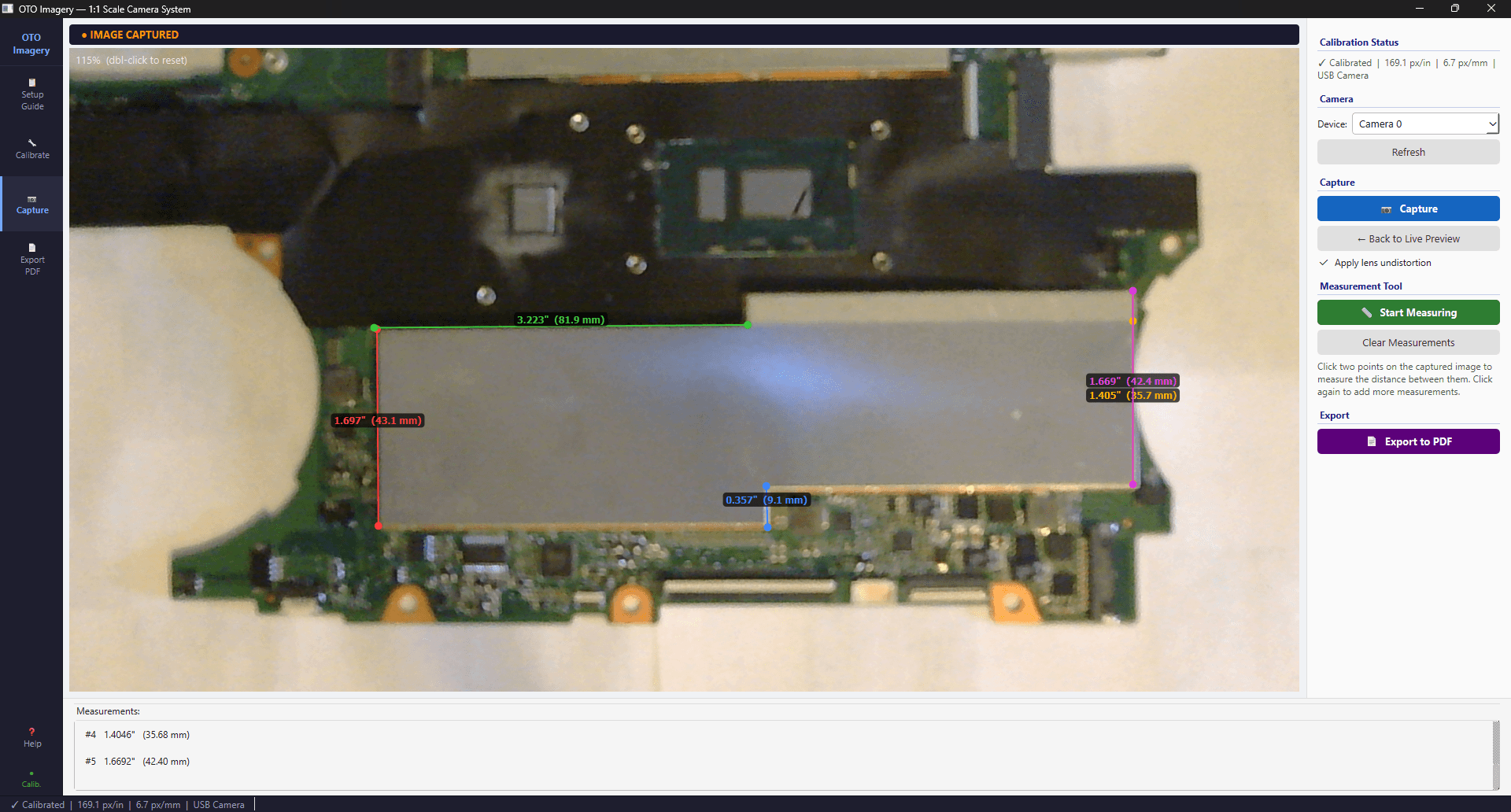
Capture and measure — click any two points to see the real-world distance instantly.
Who it's for
Electronics designers verifying component placement. Product designers checking mechanical fit and button spacing. QA engineers performing dimensional inspection. Crafters working with fabric, leather, and paper patterns. Document archivists needing true-scale digital records. Anyone who currently holds a ruler up to a camera and photographs it.
Interested in what we can build for you?
Every project we ship meets the highest quality standards with dramatically reduced turnaround. Let's talk about yours.
Get a free estimate